Environment
Symbol |  |
|---|
Use
This component is one of the most important parts of any Blue Energy model. It provides input data to almost all connected model components via its ▶EnvironmentConditions bus.
Generally, the model fulfills the following tasks:
Import of measurement data of ambient temperature, solar irradiation, wind speed and wind direction, relative humidity, air pressure, CO2 concentration
Definition of time base, date, time of day, season and initial parameters depending on the simulated time period
Calculation of the solar inclination angle depending on the simulated season and correction of solar irradiation measurement data regarding measurement angle
Definition of soil and air characteristics
Parameters and Connectors
The parameter City defines the weather data record which specifies the environment conditions data used during the simulation run. By default Blue Energy offers data sets of 10 cities all around the world
plus one demo setup as UserCity as empty template for add-on user data.
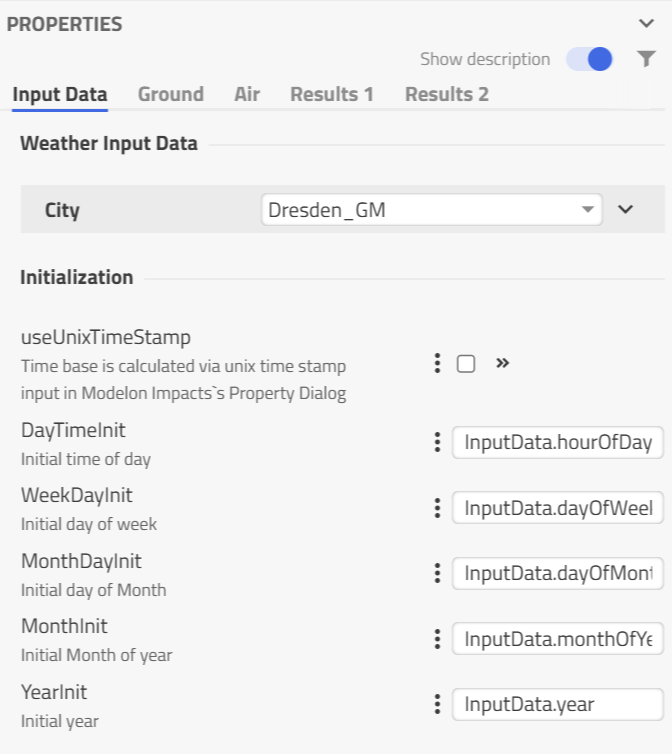
The simulated time always starts at the specified date and time (usually 12 am at the 1st of January) by default. However, these initialization values can be modified in the parameter dialogue
DayTimeInit: Hour of the day (always integer: 0 .. 00:00 to 23 .. 23:00)
WeekDayInit: Day of the week at the beginning of the year (always integer: 1: monday, 7: sunday)
MonthDayInit: Day of the month (1.. 1st to (max) 31.. 31st)
MonthInit: Month of the year (1 .. January to 12 .. December)
YearInit: Year
The parameter useUnixTimeStamp enables an alternative initialization of the simulation time base. If it's 'true' the necessary initialization parameters of 'date' and 'daytime' are defined by the Start Time of the Experiment definition in Impact.
In this case, Start Time and Stop Time has to be defined as Unix timestamp in the selected time unit. The chosen weather data sets typically use time series with hour of year (0 .. 8760) as index column.
Finally, the model provides some general soil and air parameters to other models via its ▶Environment bus.
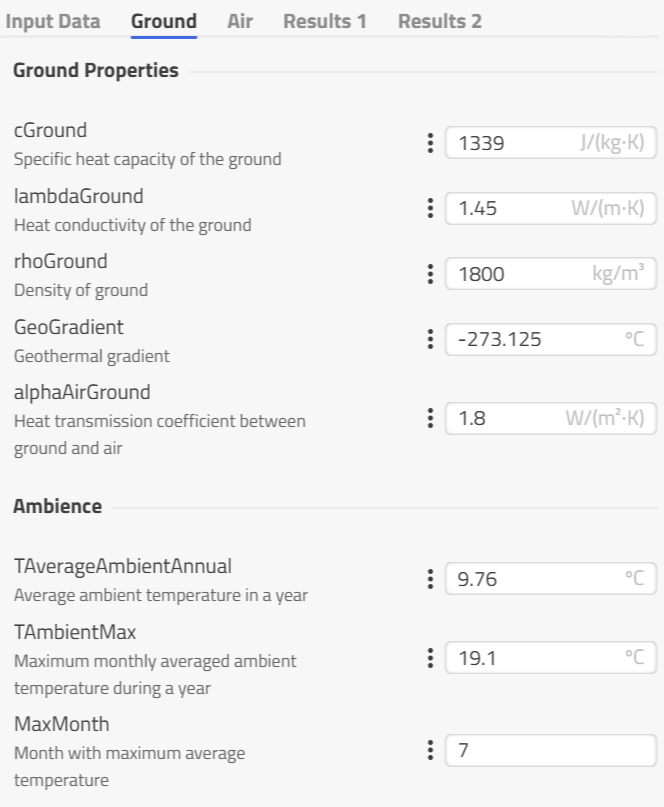
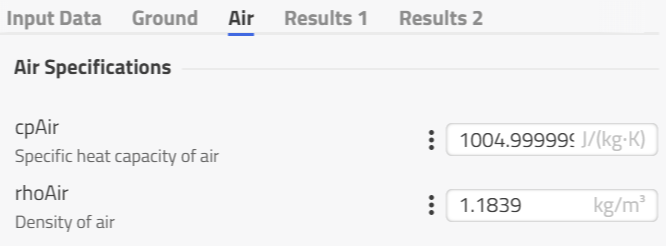
The Ground component already describes the background of the soil parameters. The additional two parameters cpAir and rhoAir describe the specific heat capacity and density via the ▶Environment bus to other models.
Model Background
During the simulation the solver time is dubbed with relevant season and daytime parameters, like time of day, the day of month, the month and the year. This includes the consideration of leap years and daylight saving time. The simulation will only regard daylight saving time if it is activated within the chosen weather data record (i.e. parameter enableDST). Then, both the start and the end day of year must be set correctly regarding time zone and hemisphere.
To calculate the current solar inclination angle, the real local time is required. The time is determined with the location's longitude and the simulated day of the year. The influences of the eccentricity of the earth's orbit is taken into account to ensure accurate calculations.
With the calculated real local time, the current hour angle ϖ is calculated as follows:
Furthermore, the maximum solar altitude δ depends on the current day of year and is determined as follows:
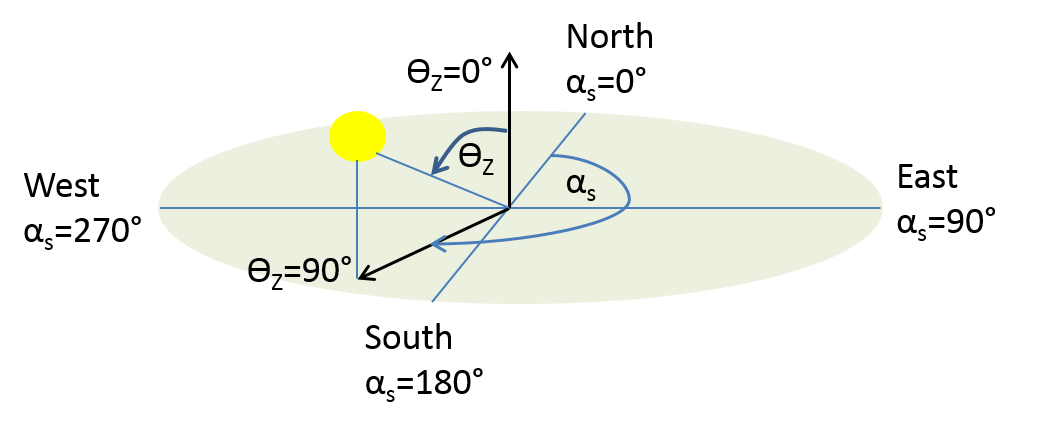
With that, the zenith angle γ and azimuth angle αs of solar irradiation are calculated depending on the current time with the following equations (VDI 6020):